
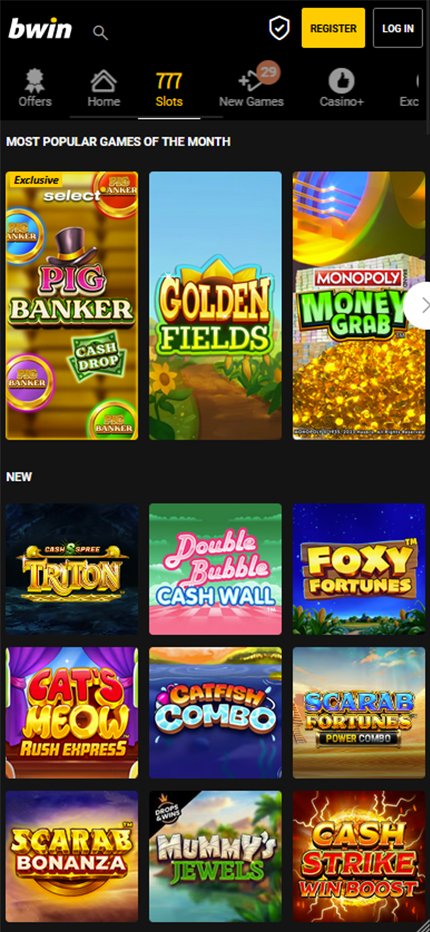
Casino live apps offer instant table games and interaction with dealers to phones and tablets. Players can open roulette, Bwin app ios, blackjack, and baccarat streams without needing a desktop. The experience combines video feeds with touch-based controls, so individuals can make bets, communicate with dealers, and check statistics on the same screen. This article describes how such apps are installed, what devices they are compatible with, and how their performance compares with browser-based play. It also touches on data usage, security settings, and troubleshooting steps that are important when a user switches from desktop to mobile.
Understanding the Purpose of Mobile Live Casino Apps
Mobile live casino apps serve as dedicated interfaces that link a player’s device to a studio hosting real dealers and physical tables. In place of loading a website through a browser, the app controls video streams, touch inputs, and account data within a unified environment. This distinction reduces latency because the software can preload graphics and maintain a persistent connection to the streaming server. Users benefit from push notifications for table openings and bonus timers, features that a browser tab cannot mimic reliably. The app also stores login credentials in an encrypted keystore, speeding up the authentication process when the user revisits. In practice, the contrast appears most clearly during peak hours, when browser sessions may encounter buffering while the app keeps a stable frame rate.
Operators create these apps to reflect the desktop lobby yet modify button sizes and menu hierarchies for smaller screens. A landscape mode often shows the full betting grid alongside the video feed, whereas portrait mode collapses secondary panels into swipeable tabs. These layout choices influence how quickly a player can modify chip values or open the game history. Because the app runs autonomously of browser updates, developers can release incremental patches that resolve streaming issues without requiring users to clear cache or reinstall plug-ins. Thus, the mobile application becomes the principal access point for many live-casino enthusiasts who value steady performance over occasional desktop sessions.
iOS Enterprise Deployment and Version Management
iOS users get the app through an enterprise build rather than the public App Store. The deployment method demands the user to trust the developer certificate once, after which subsequent updates come as delta packages that maintain documents and caches. The certificate itself expires annually; when that date nears, the app displays a non-dismissible banner directing the user to refresh the profile through the same settings path used during installation. Neglecting to refresh before expiry stops the app from launching until the new certificate is installed.
Enterprise builds permit operators to bypass App Store review timelines, so critical streaming fixes can get to players within days rather than weeks. However, the omission of App Store oversight means users must rely on the operator’s own security audit summaries, which are usually posted in the support section. Battery-optimization settings on iOS can interfere with background notifications; players who desire to receive table-start alerts should configure the app’s background refresh to “Always” and deactivate low-power mode during active sessions. These adjustments are reversed easily when the device returns to normal use.
Comparing Mobile App and Desktop Browser Encounters
The desktop site presents the full studio environment on larger monitors, displaying multiple camera angles and extended statistics panels that the mobile app compresses https://www.reddit.com/r/Innovation/comments/1tt4vaw/best_online_casino_for_real_money_in_new_zealand/ into swipeable cards. However, the browser version requires a stable WebSocket connection and can encounter interruptions when browser extensions block third-party scripts. The app, by contrast, bundles its own networking layer that retries failed packets without reloading the entire table view. This difference becomes apparent during live tournaments, where browser users may experience a ten-second freeze while the app continues to accept bets within two seconds of each decision point.
Another difference lies in peripheral support. Desktop players can connect a second monitor to keep the chat window separate from the betting grid, whereas mobile diepresse.com users count on split-screen mode available on Android 7.0+ and iOS 13+. Split-screen cuts the video resolution on phones, yet tablets retain acceptable clarity. Sound routing also varies: the app directs dealer audio to Bluetooth headsets by default, while the browser may require manual selection through the operating system mixer. These variances illustrate why many users keep both access methods and select the platform according to context rather than loyalty to a single interface.
Mobile Features Unique to Mobile Live Play
Touch controls substitute for mouse clicks for any betting action. A long press on a chip stack opens a quick-bet menu that enables the player assign a default amount for future rounds, lowering the number of taps per decision. Swipe left on the video pane shows a statistics overlay presenting recent outcomes and hot numbers, data that stays hidden on the desktop version until a separate window is opened. The chat function includes emoji shortcuts and quick phrases, yet retains a scrollable history that continues across table switches, letting a player pick up conversation without going over prior context.
Picture-in-picture mode lets the video feed continue in a movable window while the user checks account balance or browses the game lobby. This feature relies on Android 8.0+ or iOS 14+, and it stops the stream automatically when the device enters a call or another resource-intensive app. Multi-table play is restricted to two simultaneous streams on phones to avoid overheating, whereas tablets can support up to four feeds laid out in a grid. Each feed keeps its own betting controls, so a user can put a side bet on one table while adjusting strategy on another without closing either stream.
Performance Metrics and Data Consumption
Live video streams use between 1.2 GB and 1.8 GB of data per hour at the default resolution of 720p. Changing to 480p cuts in half that figure, a setting reachable from the in-app quality menu. On Wi-Fi the app defaults to the highest available resolution, yet reduces quality when the connection drops below 5 Mbps for more than thirty seconds. Battery drain averages 18 percent per hour on a recent flagship device, climbing to 25 percent when multiple tables run concurrently. These numbers differ with screen brightness and processor load, so users should check the device’s built-in battery stats after the first extended session.

Device and Operating System Requirements
Functionality depends on the OS release instead of the hardware model. Most live casino apps demand Android 7.0 or later and iOS 12.0 or later, because earlier builds miss the media codecs needed for low-latency video. On Android phones, the app must be downloaded from the operator’s portal or a trusted third-party marketplace, since mainstream app marketplaces often limit real-money gambling software. iOS users receive the app through TestFlight or direct enterprise distribution, which still needs explicit permission in the device settings. Screen size also matters: interfaces are tested on displays as small as five inches, yet the same build adjusts to tablets up to twelve inches without loss of functionality.
Older hardware can still operate the app as long as the processor enables hardware decoding of H.264 streams. In practice, devices introduced after 2017 generally fulfill this threshold, while some budget models from 2015 may exhibit noticeable lag during card reveals. Storage needs sit at 120 MB for the initial file, with an additional 300 MB set aside for cached table backgrounds and audio files. Users who frequently switch between games should check that at least 1 GB of free space remains after installation. Network support includes Wi-Fi, 4G, and 5G; the app automatically changes video quality when it detects a drop from 5G to 4G, keeping the connection at the cost of reduced image sharpness.
Security Settings and Account Security
Through the application, users can turn on biometric login that depends on the phone’s fingerprint or facial-recognition hardware. The stored template stays on the device, and the casino server obtains only a cryptographic assertion of successful authentication. Session timeouts are adjustable from five minutes to one hour; shorter intervals reduce risk on shared devices. The app also supports a panic PIN that, when entered instead of the real password, ends the session and clears locally cached chat logs without affecting the server-side balance.
Payment methods added through the app inherit the same encryption standards used on the desktop site, yet the app includes an extra confirmation step for withdrawals above a user-defined threshold. This threshold is visible in the security menu and can be modified after each verified withdrawal. Should the device be lost, the account recovery flow requires both the registered email and a one-time code sent by SMS, stopping remote hijacking even if the app remains logged in on the missing hardware. Regular review of active sessions, listed under the account tab, permits immediate termination of unrecognized logins.
Sideloading on Android Tablets
Sideloading becomes necessary when the device’s region configuration block access to the provider’s direct download page. The user first downloads the APK file through a desktop program and transfers it via USB or a cloud storage link. File-manager applications such as Solid Explorer or CX File Explorer can access the APK directly, showing the same permission screen met during normal installation. It is crucial to check the file checksum provided on the carrier’s support page, because altered packages may inject unauthorized advertising libraries or redirect payment flows.

Android’s security model logs the originating URL of every sideloaded package, permitting users to trace the file origin weeks later. Should an update come, the app itself can retrieve the new APK and request for installation without returning to the browser. Users who use app-management tools like Shelter or Shelter’s work-profile feature can isolate the casino app from personal data, adding a layer of separation. After sideloading, it stays good practice to disable the unknown-sources toggle until the next required installation, thereby narrowing the window during which malicious packages could be installed.
Download and Setup Steps
The initial step is to launch the operator’s mobile site on the device browser and identify the download link labeled for Android or iOS. Tapping the link initiates a file transfer that shows in the notification shade on Android or opens a configuration profile prompt on iOS. Before installation, users must allow installation from unknown sources in Android’s security menu; this toggle is situated under Settings, Security, or Apps, depending on the device brand. iOS users move to Settings, General, VPN & Device Management to approve the enterprise certificate. Both procedures require less than two minutes once the file downloads.
After the package is installed, the app icon shows on the home screen. The first launch starts a mandatory update check that matches the local build number against the server version. If a newer release is present, the app retrieves only the changed modules, typically under 40 MB. The user then logs into an existing account or creates an account through a short form that requests an email address and a password fulfilling length and character criteria. Two-factor authentication via SMS can be enabled immediately, and the app stores the preference in its local encrypted database. Finishing these steps leads to a fully functional client that preserves login status across restarts.
Troubleshooting Common Mobile Issues
Disconnections during live games usually originate from carrier-grade NAT or aggressive Wi-Fi power saving. The app stores the last successful ping timestamp; if the interval exceeds eight seconds, it displays a yellow banner suggesting the user toggle airplane mode for five seconds. Persistent failures justify checking the device date and time settings, because an incorrect system clock breaks SSL certificate validation and stops the app from establishing a secure channel to the streaming server. Clearing the app cache through the device settings menu deletes corrupted table-layout files without deleting user preferences.
Audio desync, where the dealer’s voice lags card reveals, can be corrected by lowering the video quality one step, which lowers the decoding buffer. If the issue continues, the user should verify that no VPN is active, because routing through distant servers introduces variable latency. Should the app crash on launch after an OS update, reinstalling from the original download link replaces libraries that may have been deprecated. Running the OS and the app on their latest versions eliminates most compatibility faults before they appear during live play.
Final Considerations Prior to Playing
When committing funds, players need to confirm that their chosen device meets the minimum operating-system threshold and that sufficient storage remains after other applications are accounted for. Trying the app on a low-stakes table for at least thirty minutes shows whether video quality and touch responsiveness meet personal expectations. Once these checks are complete, the user can adjust security settings, enable biometric login, and set data-usage limits within the app. With those preparations finished, the mobile live casino experience offers a stable, self-contained environment that extends desktop functionality to any location with a reliable network connection.